Lightweight 3D Product Models for SketchUp
Heavy product models can make SketchUp projects unnecessarily slow. DG BIM turns dense CAD, Rhino, and imported 3D product geometry into lightweight SketchUp assets while preserving the dimensions and recognizable appearance designers need.
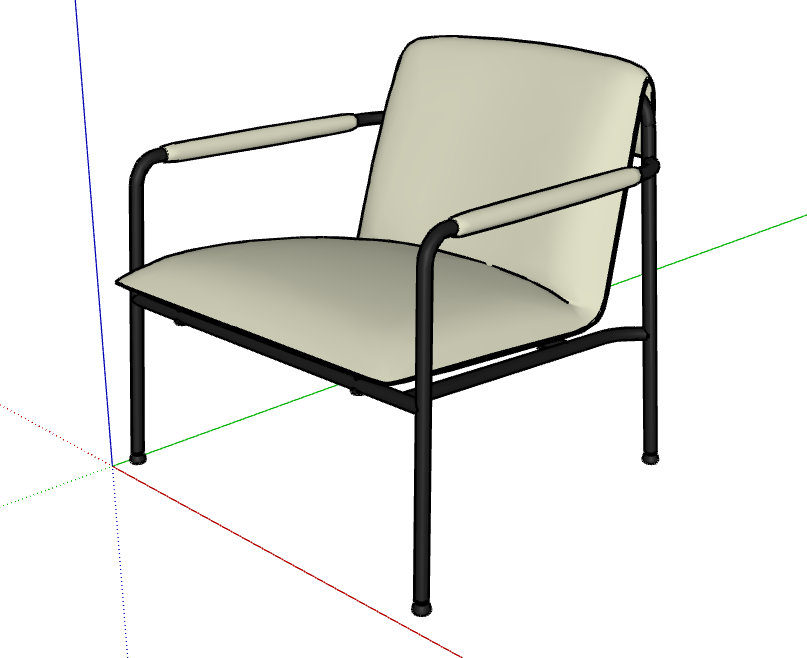
Excess geometry, slow projects.
Manufacturing and engineering files often contain dense surfaces, internal parts, and fabrication detail that designers do not need. Once products are placed repeatedly in SketchUp, that weight slows navigation, copying, saving, and collaboration.
Scope: individual products and product libraries, not complete buildings or large architectural models.
Fabrication-level detail
Internal parts, fixings, fillets, and manufacturing features can create substantial weight while remaining invisible at normal design scales.
Dense curved surfaces
Organic furniture, luminaires, and equipment frequently arrive with far more polygons than SketchUp needs to communicate the product clearly.
Imported CAD structure
STEP, SolidWorks, Rhino, and other CAD-derived models can arrive with fragmented parts, deep nesting, or geometry that does not translate efficiently into SketchUp.
Oversized materials
Duplicate materials and inefficient textures can add avoidable file weight and complicate a product library even after the geometry is reduced.
Products and libraries.
For furniture, lighting, and equipment manufacturers, architectural product companies, product designers, and interior-design teams using manufacturer SketchUp assets.
Furniture
Seating, tables, storage, and workstations.
Lighting and equipment
Luminaires, appliances, fixtures, and specialist equipment.
Architectural products
Individual assets and coordinated product libraries.
Common source files
SketchUp · Rhino · STEP · SolidWorks exports · CAD-derived geometry · other imported 3D product models
Furniture Product Library Optimization
Eight SketchUp product models for an Australian furniture manufacturer.
Problem
Several product models contained significantly more geometry than necessary, making the files unnecessarily large and difficult to reuse inside larger SketchUp projects.
Approach
Each model was reviewed individually. Organic upholstery, tubular frames, imported geometry, textures, and repeated components received different treatment. Geometry was selectively simplified, rebuilt, or reorganized while preserving dimensions and visual character.
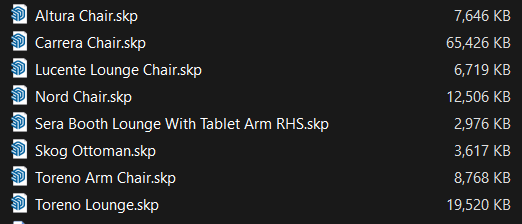
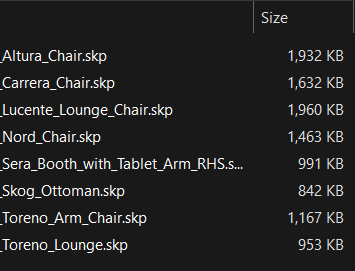
8 product models: ~124 MB → ~10.7 MB
91.4% smaller overall
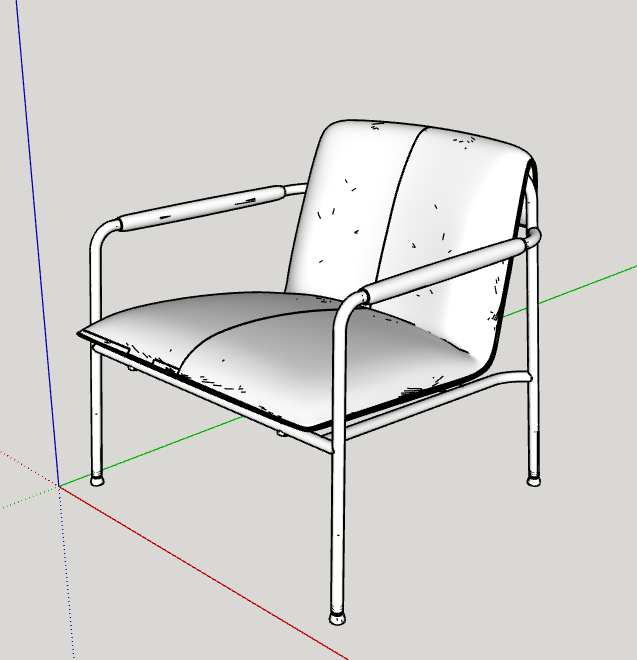
Toreno Lounge: 19,520 KB → 953 KB, approximately 95.1% smaller.
| Product model | Received | Optimized |
|---|---|---|
| Altura Chair | 7,646 KB | 1,932 KB |
| Carrera Chair | 65,426 KB | 1,632 KB |
| Lucente Lounge Chair | 6,719 KB | 1,960 KB |
| Nord Chair | 12,506 KB | 1,463 KB |
| Sera Booth Lounge | 2,976 KB | 991 KB |
| Skog Ottoman | 3,617 KB | 842 KB |
| Toreno Arm Chair | 8,768 KB | 1,167 KB |
| Toreno Lounge | 19,520 KB | 953 KB |
| Full batch | 127,178 KB | 10,940 KB |
Measured results from this project, not a promised reduction for future models. Outcomes depend on source geometry, textures, and required detail.
Selective optimization.
Every product is reviewed against its intended use in SketchUp. Automatic polygon reduction may support the workflow, but judgement determines what is simplified, rebuilt, preserved, or reorganized.
Inspect
Identify dense geometry, hidden parts, repeated elements, and oversized textures.
Choose the method
Decide where controlled polygon reduction is suitable and where manual remodeling will produce cleaner, lighter, and more predictable geometry.
Rebuild and organize
Simplify or reconstruct selected parts, preserve useful groups and components, and correct material logic where it affects usability or file size.
Check
Check dimensions, silhouette, useful detail, materials, model structure, and file size before the manufacturer SketchUp asset is delivered.
SketchUp deliverables.
Delivery is based on the target SketchUp version and how the product will be distributed, placed, and repeated by designers.
- Lightweight SketchUp product asset
- Product dimensions and recognizable appearance preserved
- Useful groups and components retained or rebuilt
- Materials and textures cleaned where required
- Geometry balanced for repeated placement in project models
- Consistent naming and structure across manufacturer libraries
Start with one product.
Send one representative model. I’ll confirm the scope and price before starting. Review the optimized file before commissioning the rest of the library.